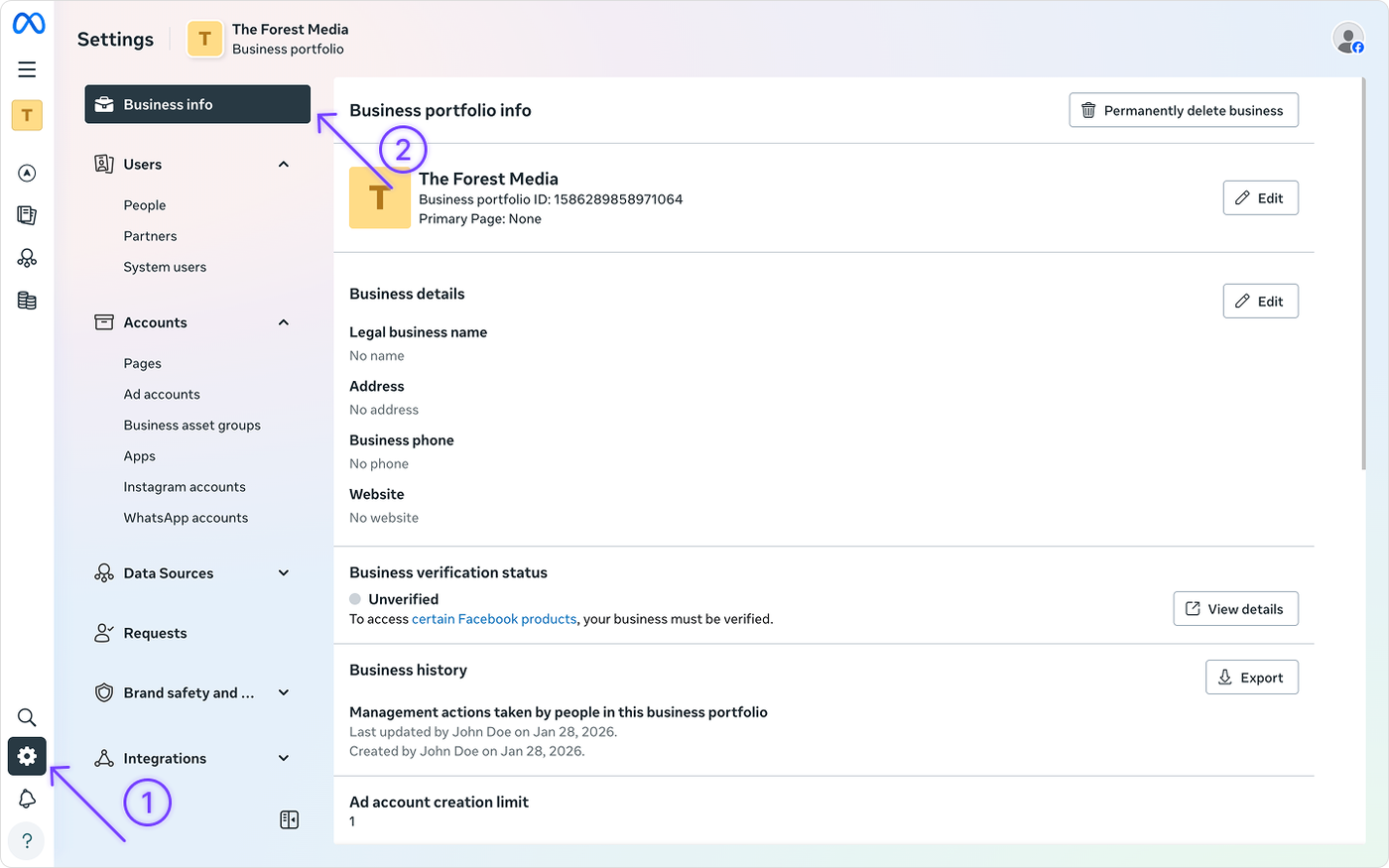
How to fill in your business information in the Meta Business Suite
Log in to your Meta Business Manager account.
Click on the gear icon in the left main menu to navigate to the settings.
Click on Business info in the left menu.
Here you can change the company information