The WhatsApp 24-Hour Customer Care Window
What is the 24-hour customer care window?
The 24-hour WhatsApp customer care window is the period during which a business can freely respond to a customer on WhatsApp after the customer sends a message.
Once a customer messages your business, a 24-hour session opens. During this time, you can send messages without restrictions, including:
Answers to questions
Order or account support
Follow-up messages
After 24 hours of inactivity from the business, the window automatically closes.
When does the 24-hour window start?
The 24-hour window starts as soon as the customer sends a message to your business on WhatsApp.
Each new customer message resets the timer and opens a new 24-hour window.
What happens after the 24-hour window closes?
Once the 24-hour window expires, businesses cannot send free-form messages to the customer.
To message a customer outside the 24-hour window, you must:
Use an approved WhatsApp message template
Ensure the message follows WhatsApp’s policies
These templates are commonly used for:
Appointment reminders
Order updates
Account notifications
Why does WhatsApp use a 24-hour window?
WhatsApp enforces this rule to:
Protect users from spam
Encourage timely, relevant conversations
Keep WhatsApp a customer-first messaging platform
This ensures customers stay in control of when and how businesses contact them.
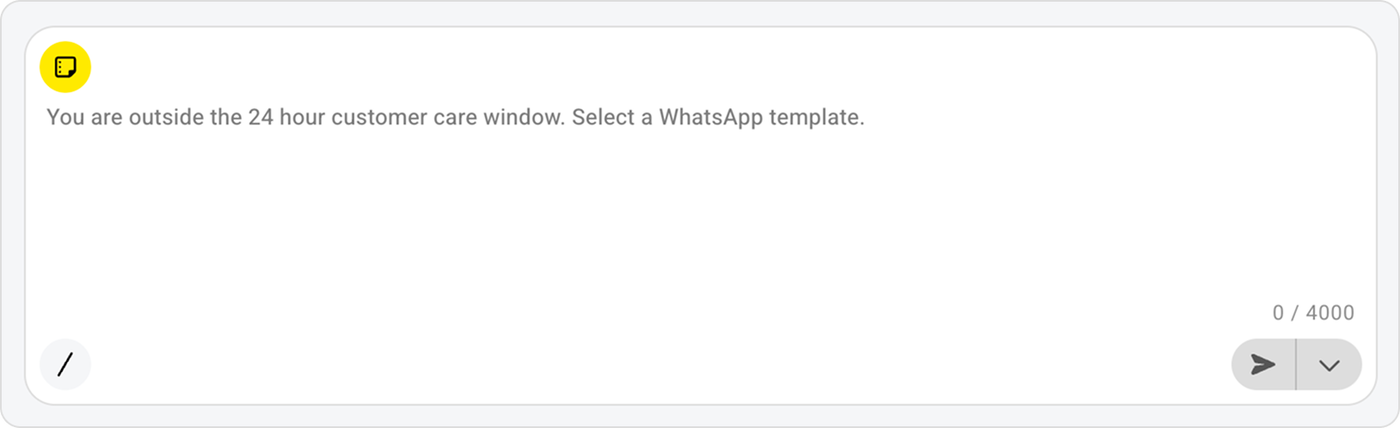
How do I see that the 24-hour window is closed?
In you Saysimple workspace you can see this in the message input field.