The basics
What is WhatsApp broadcasting?
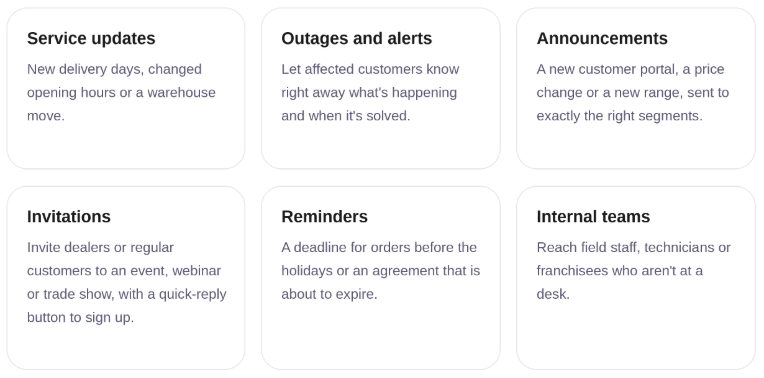
Broadcasting means sending one approved WhatsApp template message to a large group of contacts as a single campaign that you can track. Think of announcements, alerts and service updates.
In Saysimple, Broadcasting lives in the same platform as your inbox and your contacts. You choose an audience, personalise the message with data from your contact profiles, and send it right away or at a moment you choose. If someone replies, the conversation simply arrives in your team's inbox.
Good to know
Meta closely monitors the quality of business messages on WhatsApp. Only message people who gave you permission, and keep it relevant. Don't flood your customers' inboxes: it protects both your customers and your WhatsApp number.
Preparation
Set up your contacts first
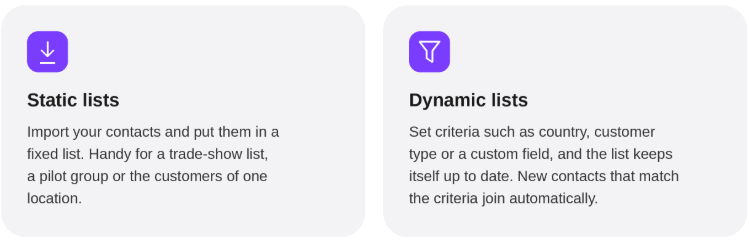
A good broadcast starts with a good list. Build your audiences in contact management so you can pick them with one click for every campaign.
Lists are read at send time
Lists are only read when the campaign starts. Add someone an hour before sending and they receive the message too. Remove someone and they don't.
How it works
Your campaign on one screen
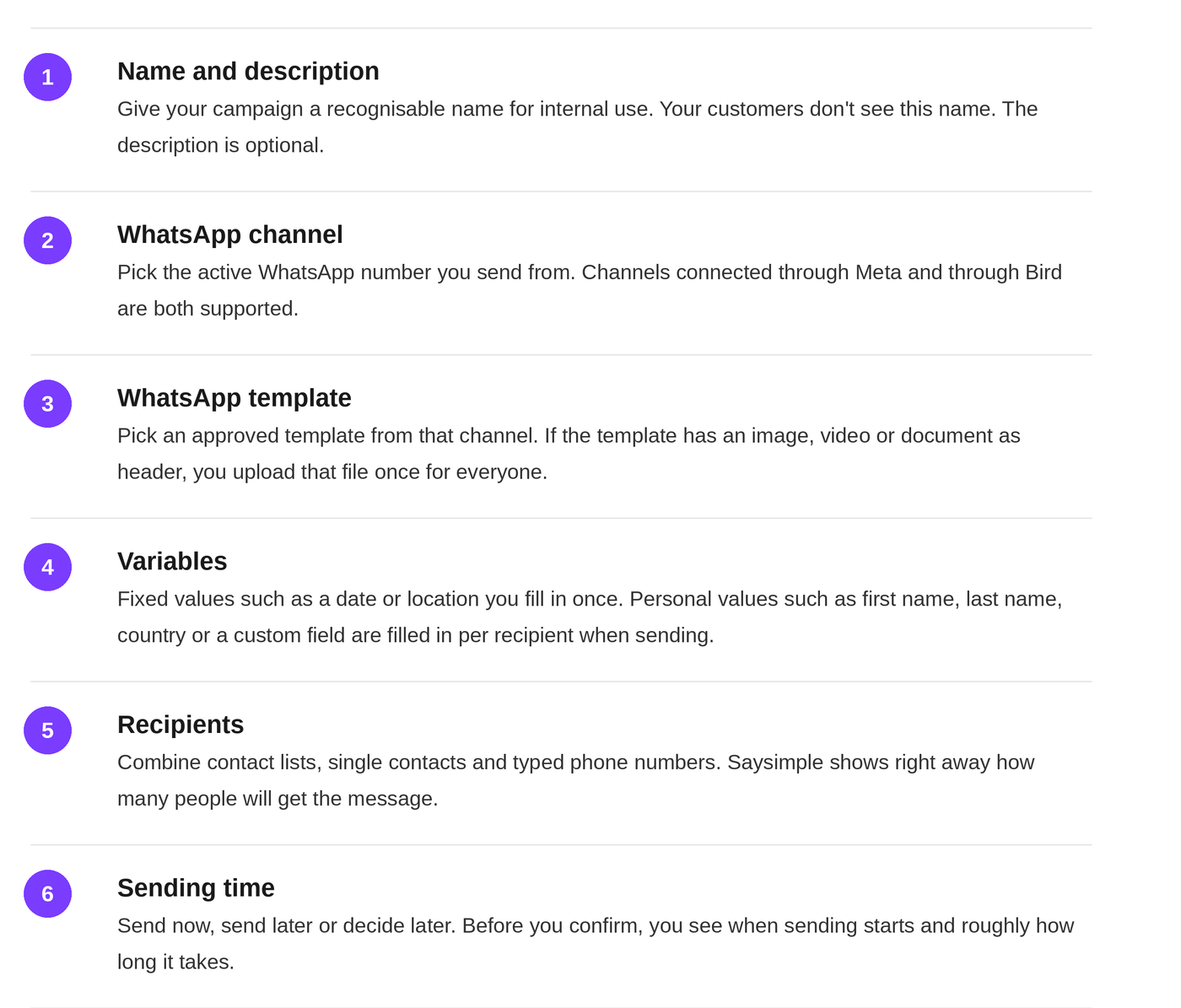
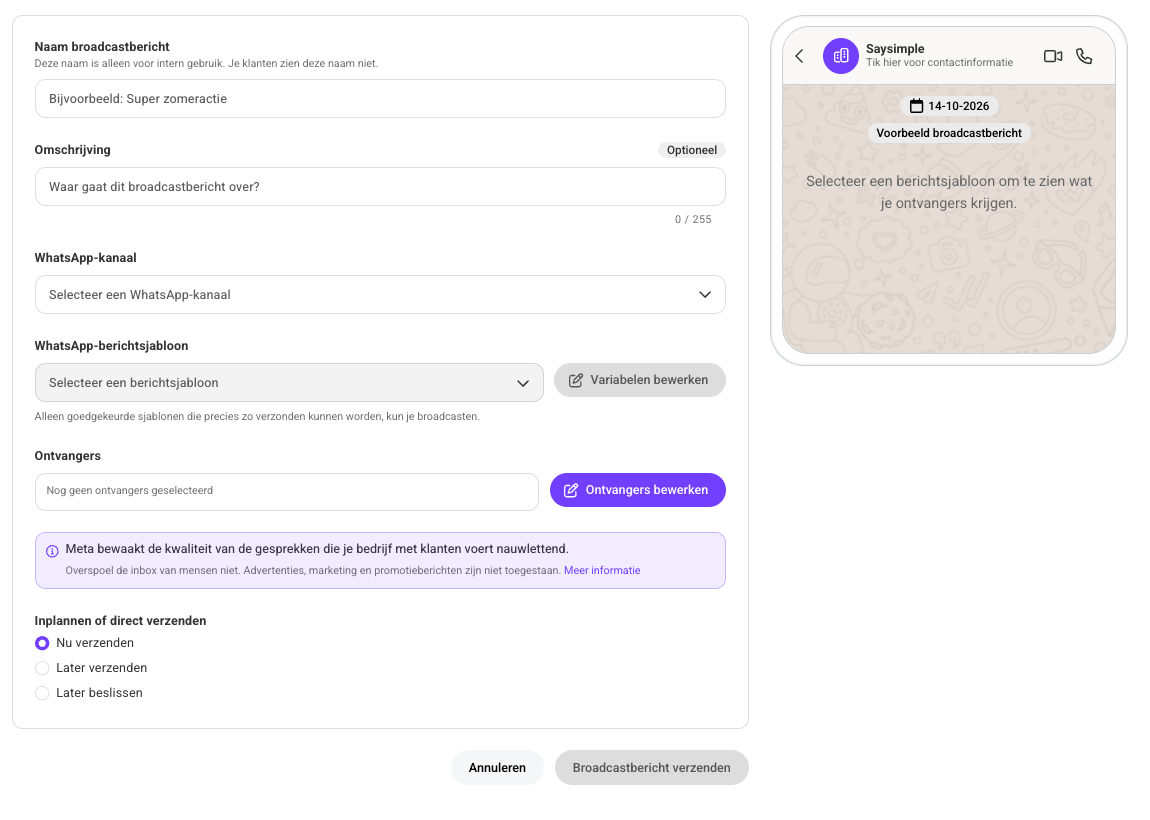
No wizard with ten steps. You fill in one form and a phone preview on the right shows exactly how the message will look to your recipient.
Audience
Lists, contacts and numbers in one campaign
You don't need a new list for every campaign. Combine what you already have. If someone is on two lists, or you type a number that already belongs to a contact, that person gets the message once.
Below your form, a "What will be sent" summary shows what to expect. Example figures:
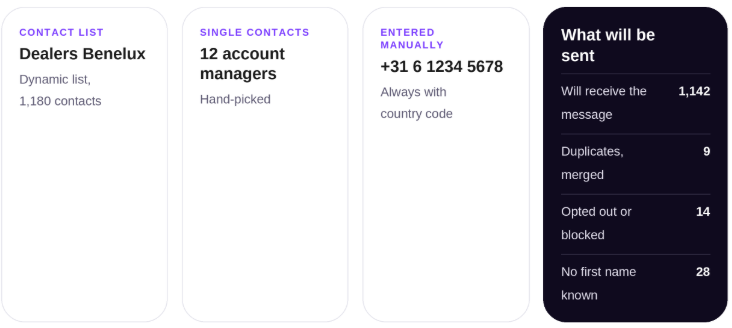
Nobody gets a message with a gap in it
If a recipient has no value for a personal variable such as first name, Saysimple skips that person. You see in advance exactly how many recipients that affects, so you can complete your data first.
Now, later or when you're ready
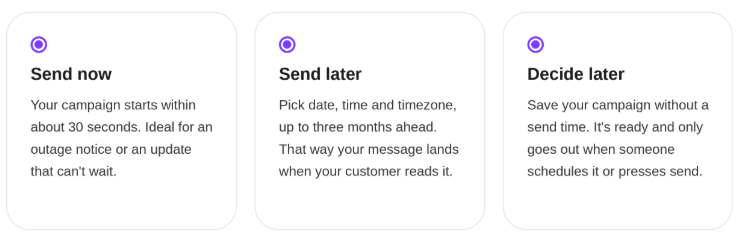
You can edit a scheduled campaign until the moment it sends. Want to wait after all? Set it back to Decide later.
See live what your message does
While sending, the numbers update live without refreshing the page. Each percentage is calculated against the step before it.
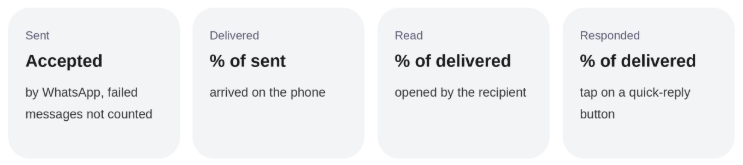
Results keep updating
Read receipts often arrive late, so the numbers keep updating for 24 hours after sending. After that you see the final results. To see what happened per recipient, download the CSV report with status, reason and times per number. For Meta channels you also see your number's quality rating, the same one WhatsApp Manager shows.
Inbox
Replies arrive with your team
A broadcast doesn't fill your colleagues' queues with thousands of conversations. New conversations from a campaign start as resolved and unassigned. Only when a customer replies does the conversation open in the inbox, with the campaign message above it, so your colleague knows right away what the question is about.
Existing conversations stay where they are. Their status and assignee don't change, and the campaign message doesn't push them to the top of your inbox.
Opting out is easy
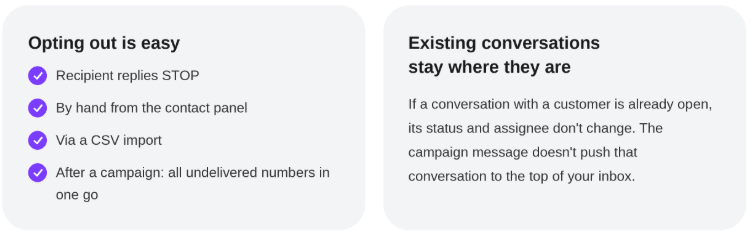
Built-in protection
Safe for your WhatsApp number
Your WhatsApp number is valuable. Broadcasting paces sending and steps in by itself if something goes wrong. You don't need to switch anything on.
Protection | What it does |
|---|---|
Paced sending | 20 messages per second per channel, on separate capacity, so your inbox stays just as fast. |
One campaign per channel | A second campaign on the same number waits its turn. Other numbers send at the same time. |
Automatic pausing | If WhatsApp refuses too many messages, pauses your template, or your number's quality drops to red, the campaign pauses and shows the reason. |
Retries | A temporarily refused message is retried up to three times. Afterwards you can resend failed messages with one click. |
Daily limit warning | If your audience is larger than your number's daily WhatsApp tier, you see that in advance. |
Use cases
What teams use Broadcasting for