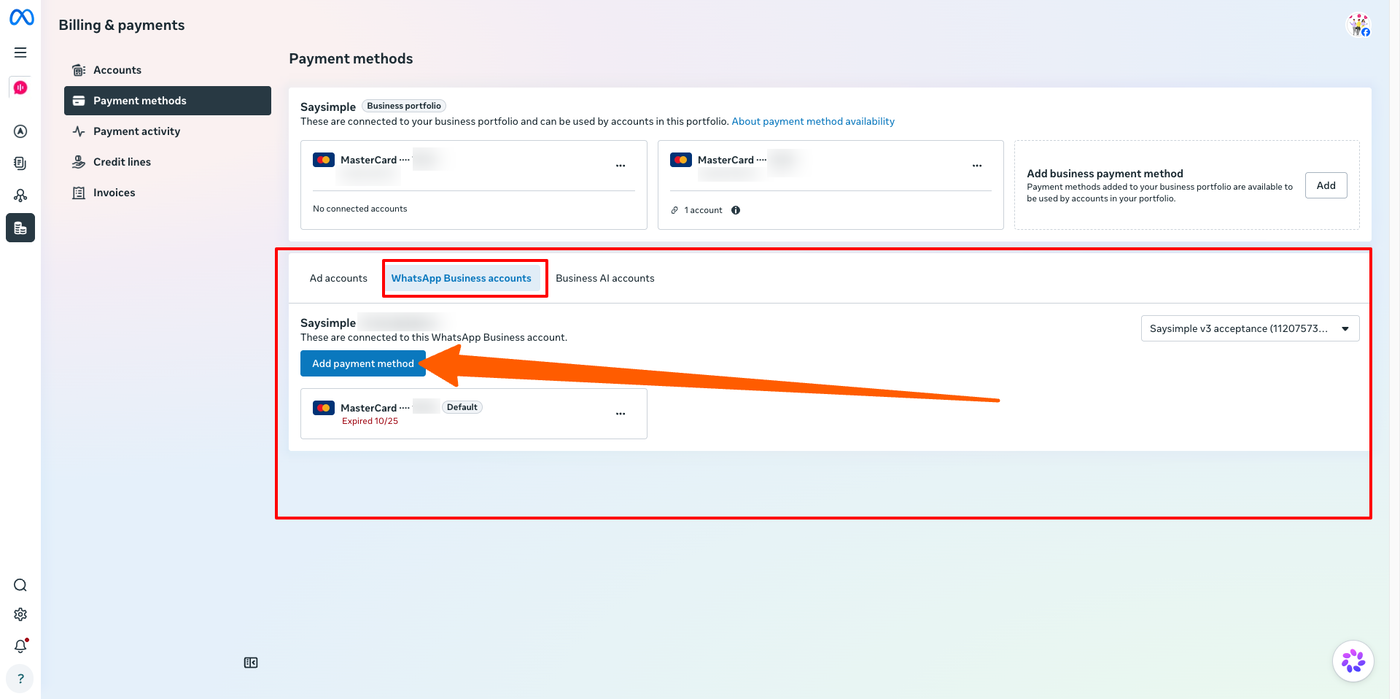
Why do I need a payment method in Meta?
If your WhatsApp channel is connected to Saysimple via the WhatsApp Cloud API, Meta charges you directly for WhatsApp messages and templates. These charges are not billed by Saysimple.
This means you need an active credit or debit card connected to your WhatsApp account in Meta Business Suite.
When you first set up Saysimple, we help you add a payment method. However, you may need to update it later if your card has expired, needs to be replaced, or no longer has sufficient funds. If Meta cannot charge your payment method, your WhatsApp messages may stop sending.
How to update your payment method
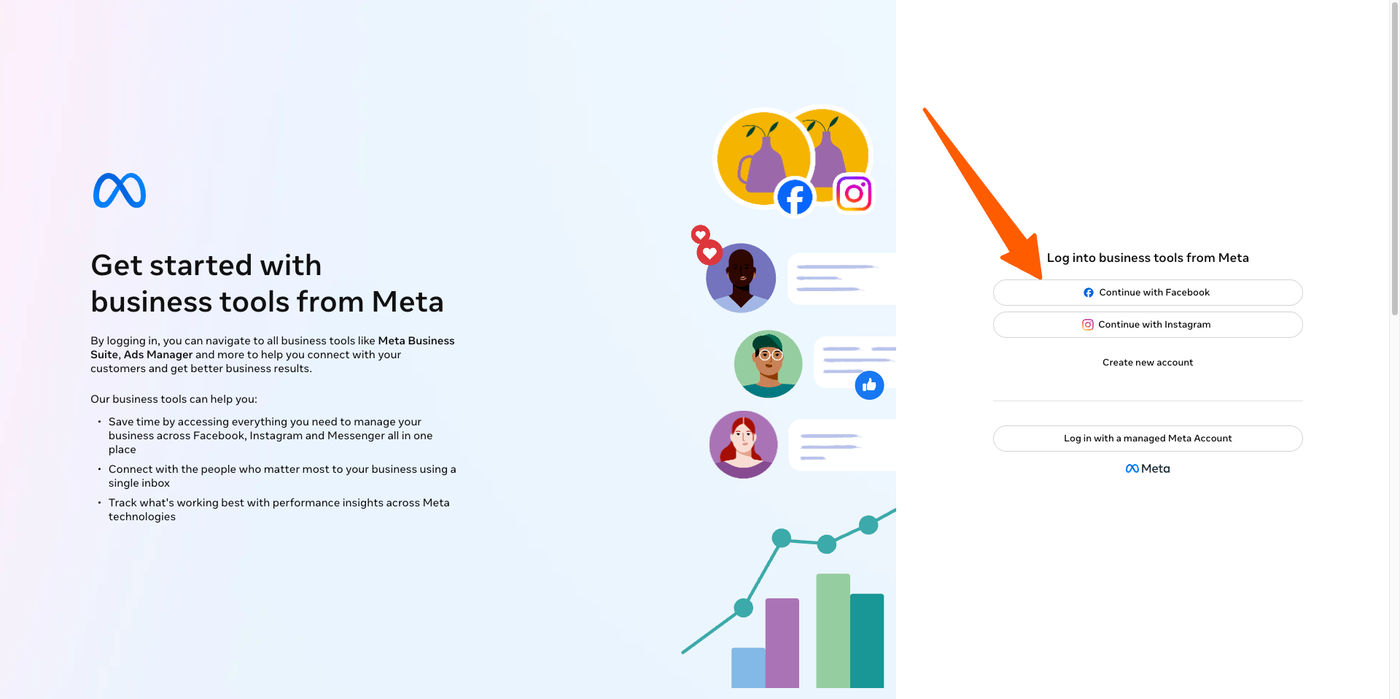
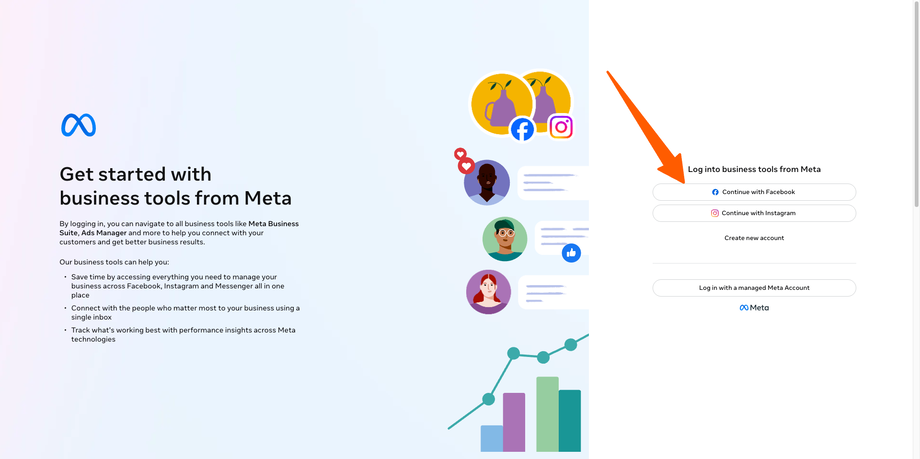
Go to Meta Business Suite: business.facebook.com
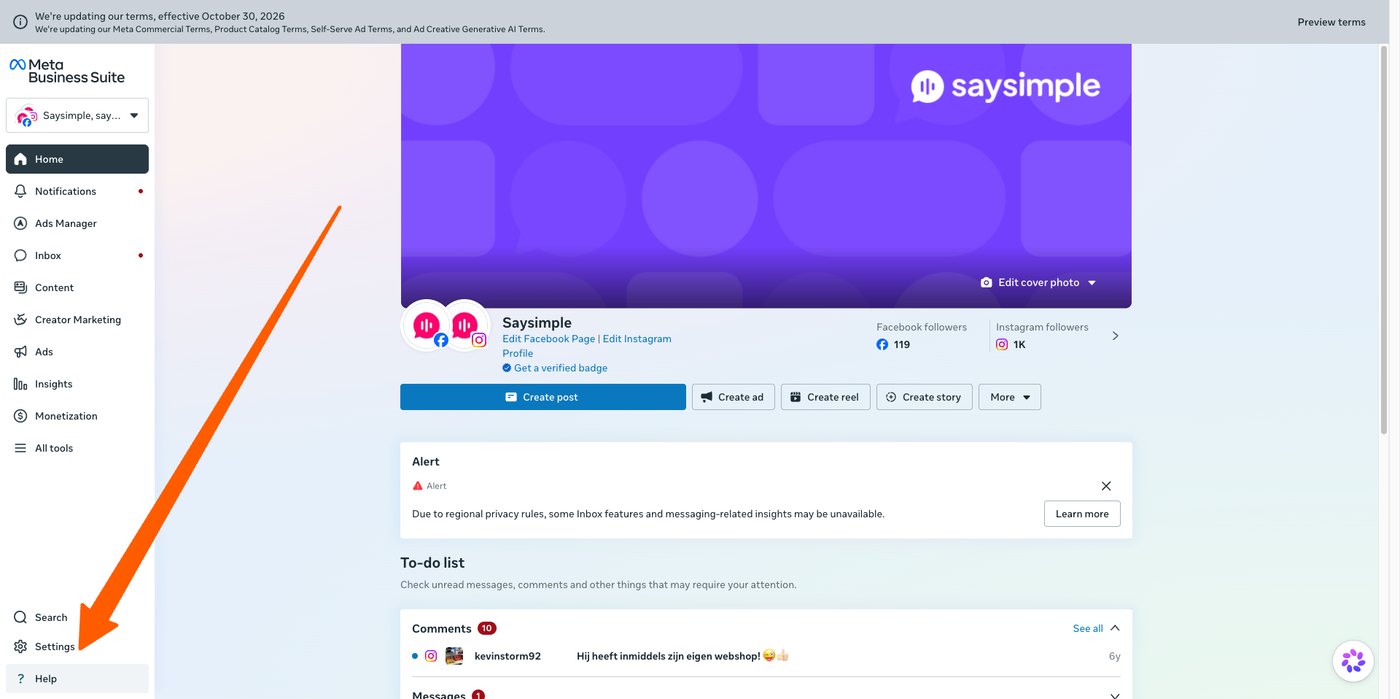
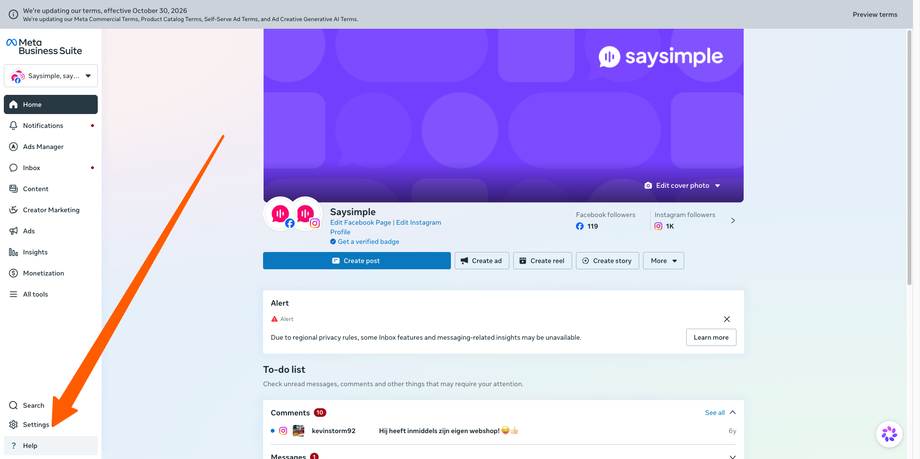
Click Settings.
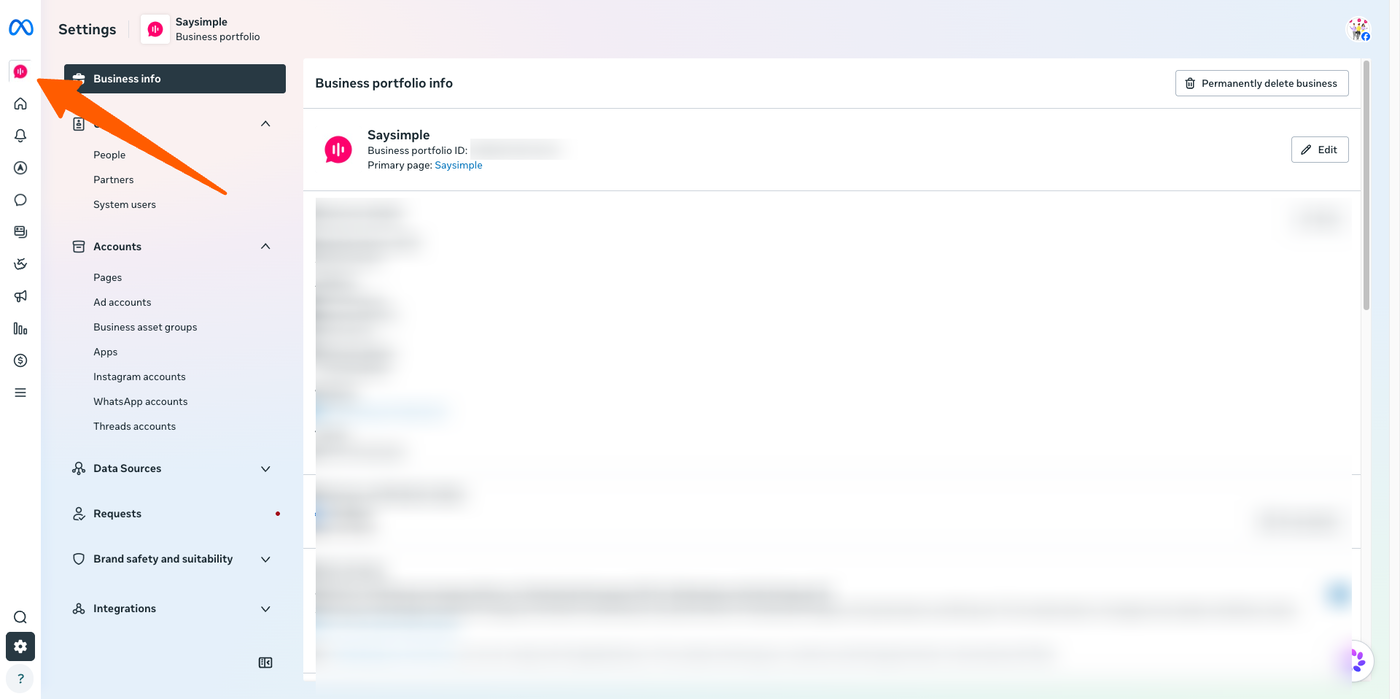
Make sure you have selected the correct business portfolio. If needed, switch portfolios using the menu on the left.
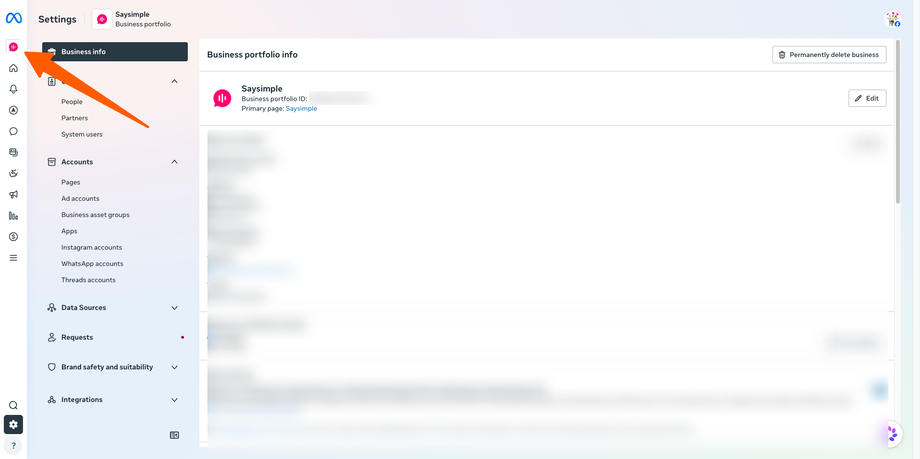
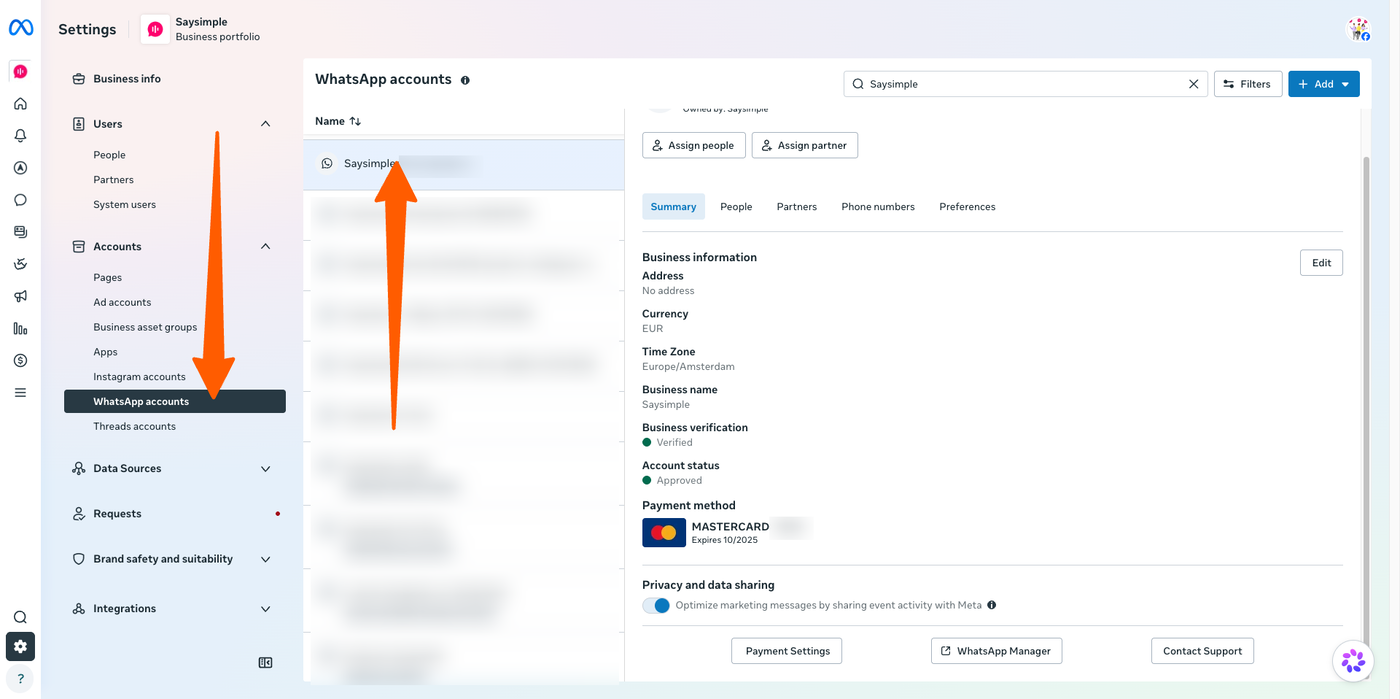
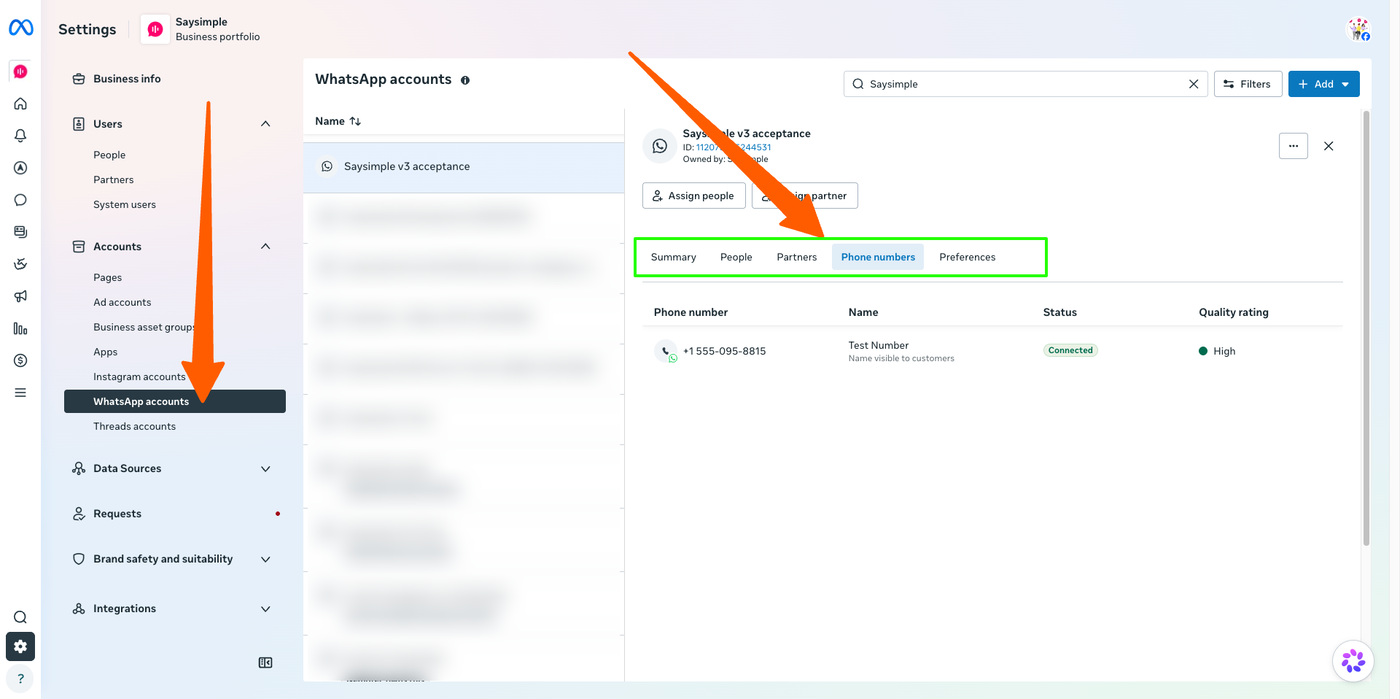
In the central menu, go to Accounts → WhatsApp accounts.
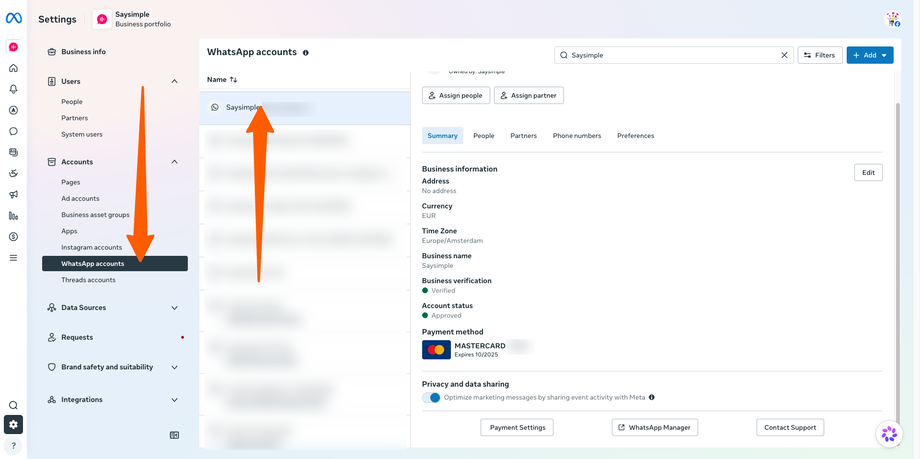
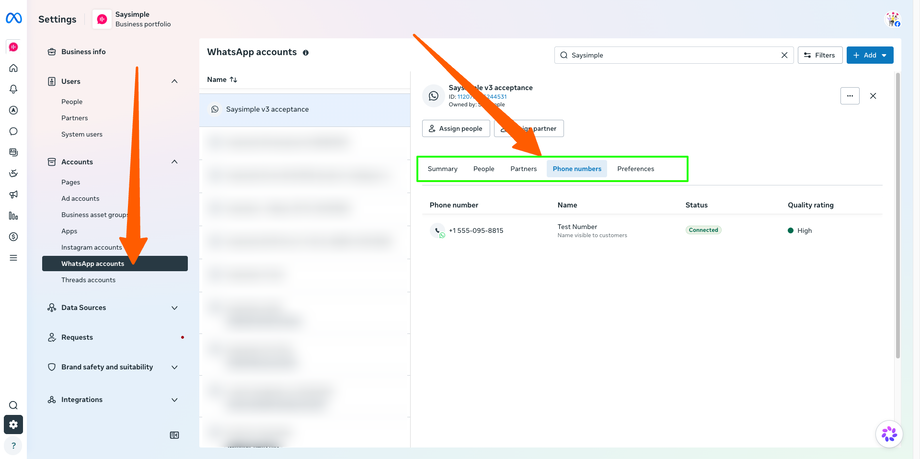
Select the WhatsApp account linked to your Saysimple channels. You can check which phone numbers are connected by opening Phone numbers or clicking Manage WhatsApp.
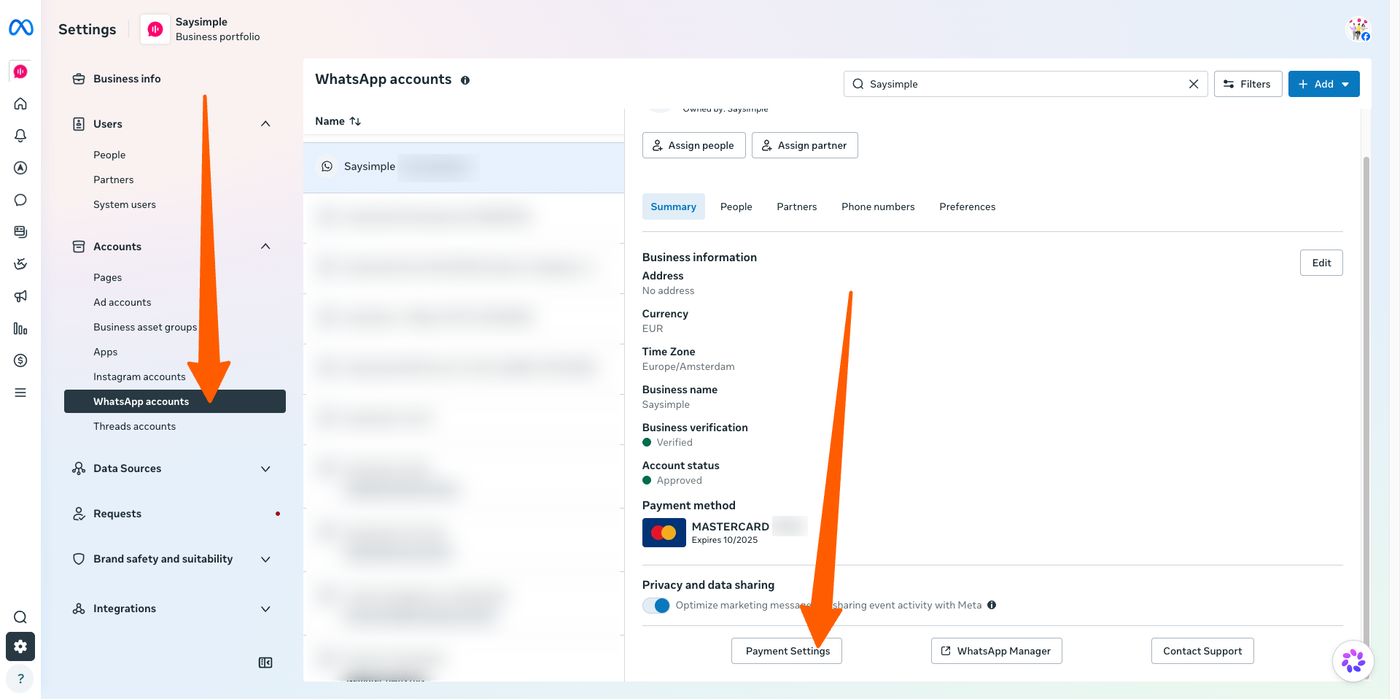
From the account overview, click Payment settings.
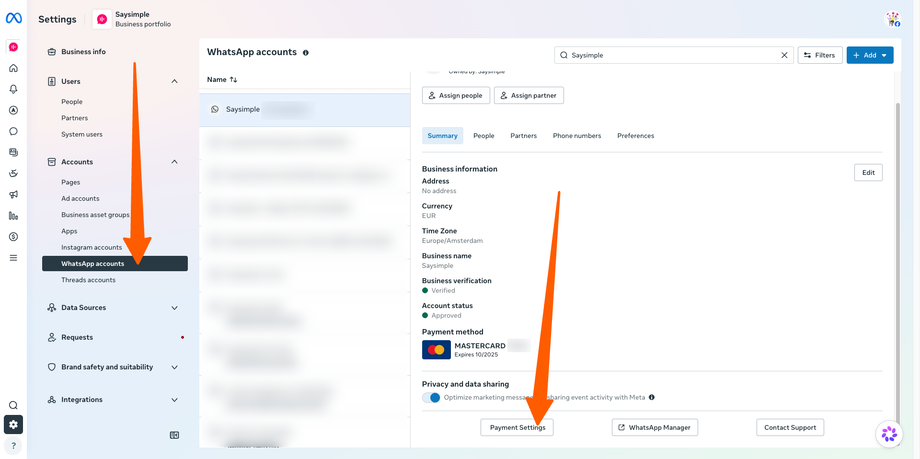
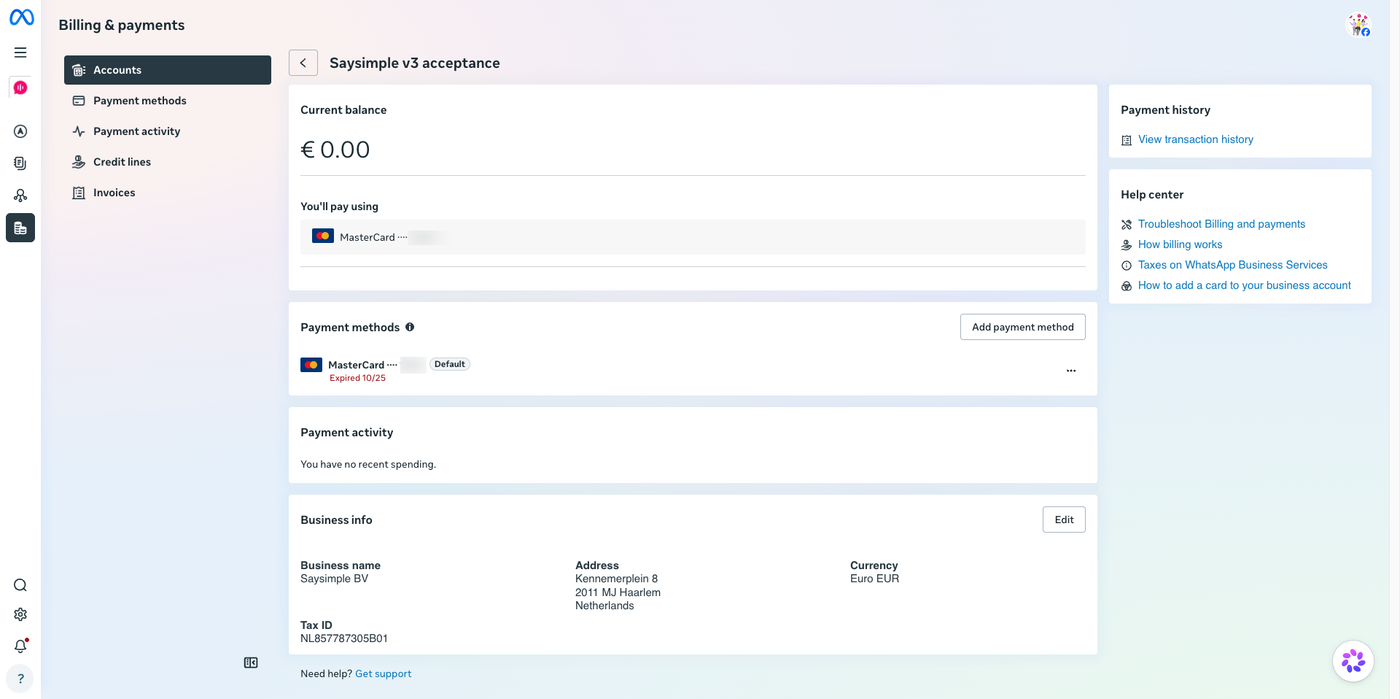
Here, you can view your payment activity. If Meta was unable to charge your card, you may see a notification about a pending payment. Follow the instructions to settle any outstanding amount.
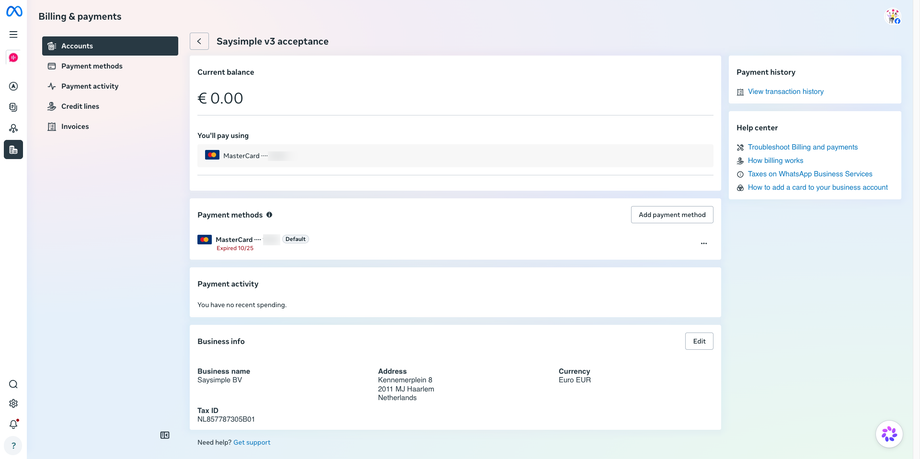
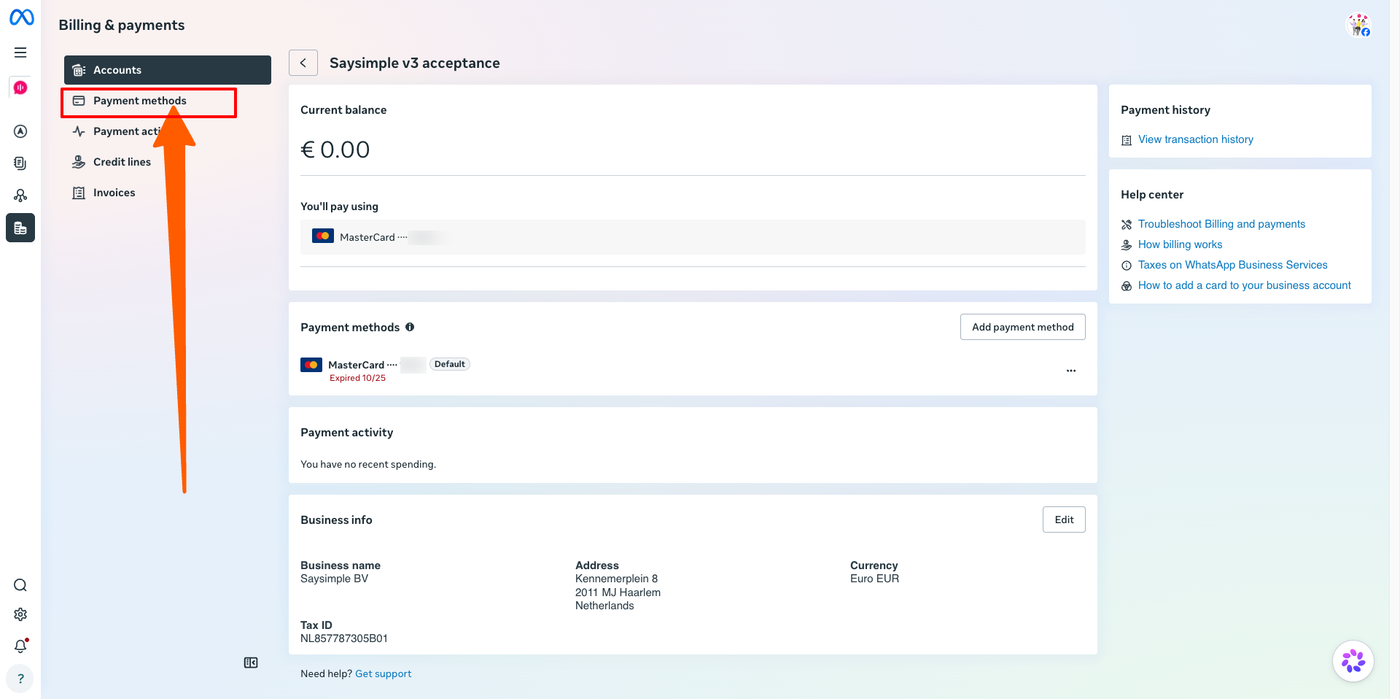
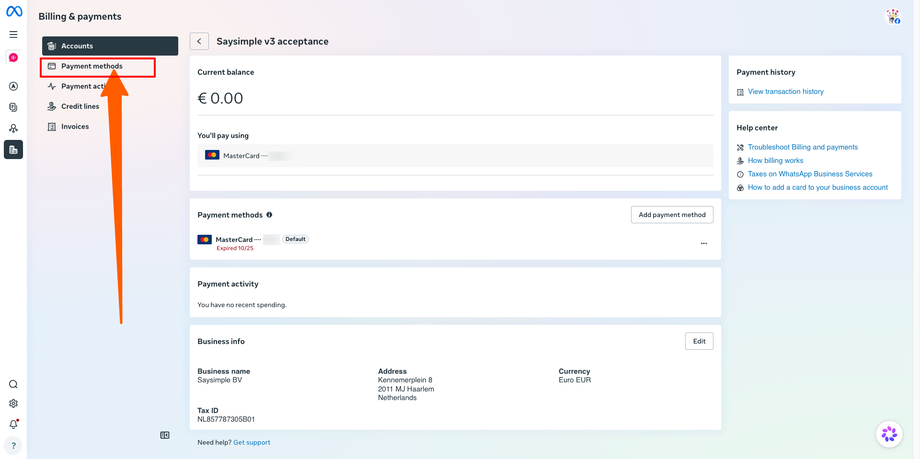
To change your card, select Payment methods from the menu on the left.
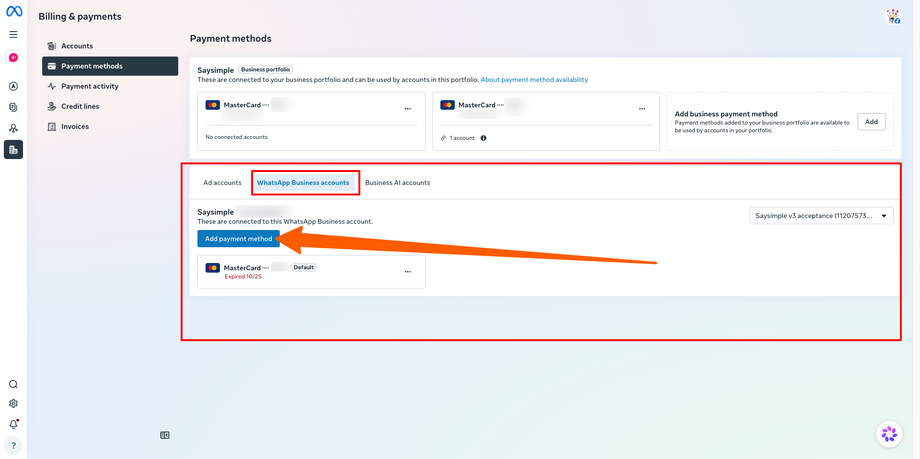
Add your new credit or debit card.
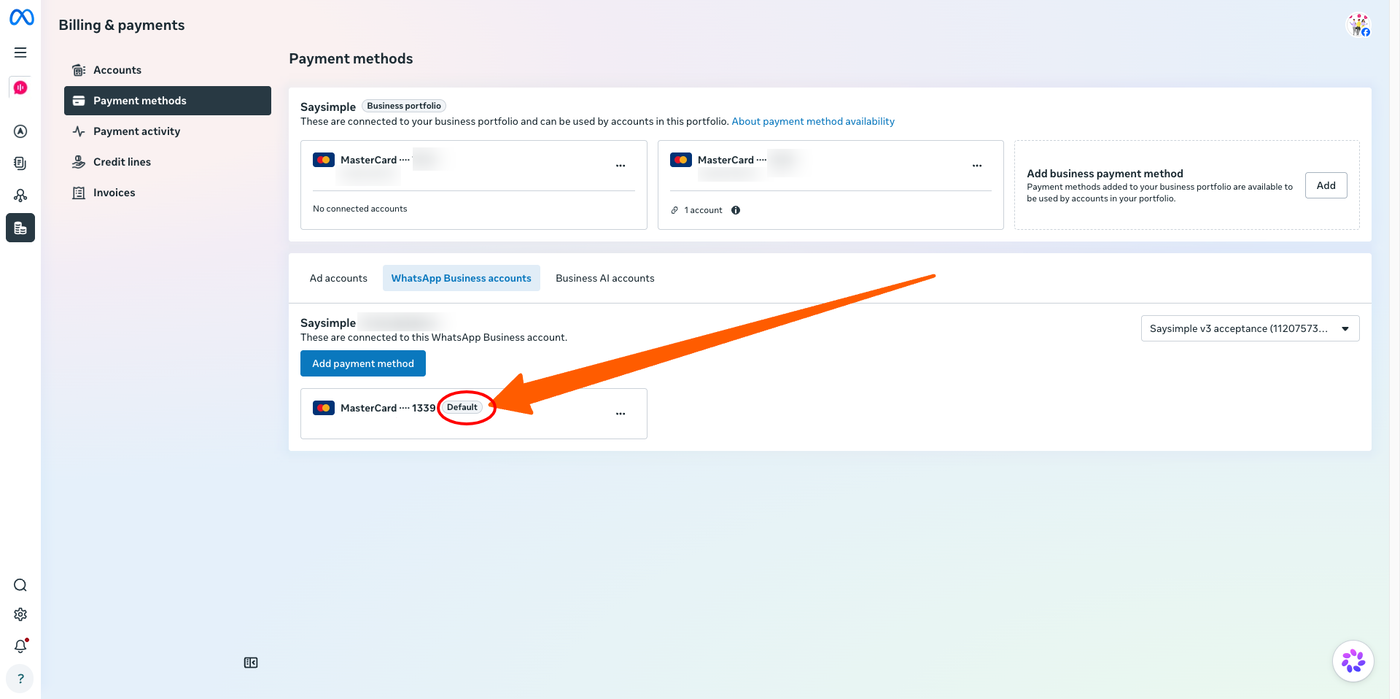
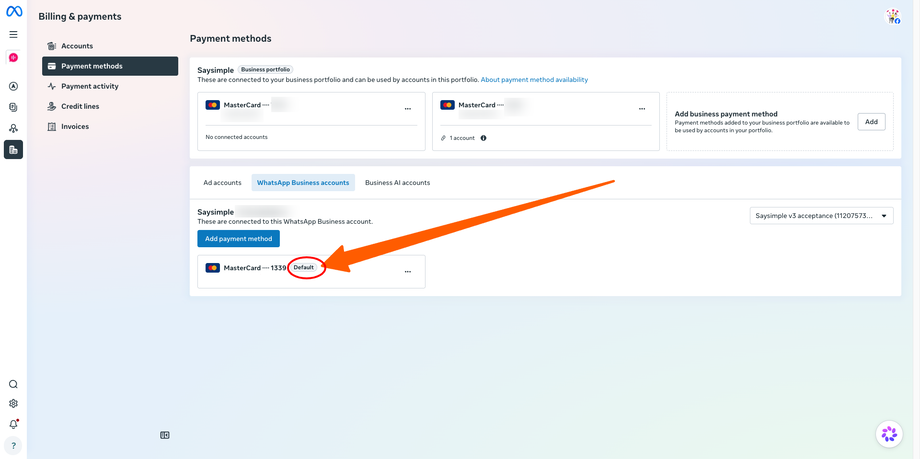
Once added, make sure it is set as the default payment method. You can do this using the three-dot menu next to the card.
Once your payment method has been updated and any pending payments have been settled, your WhatsApp messages should resume sending normally.