

In this article, we explain how to edit a contact in the Saysimple platform. Keeping contact details up to date helps ensure that phone numbers, email addresses, labels, and other contact information remain accurate.
Navigate from the inbox to the contact page via the menu on the left side.

Choose the right contact list.
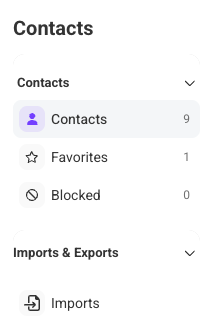
The menu on the left shows the different contact types. By default, the overview with all contacts opens automatically.
If needed, you can use this menu to switch between:
All contacts
Favorites
Blocked
This helps you find the right contact more quickly, especially when you have many contacts.
Find the contact you want to edit.
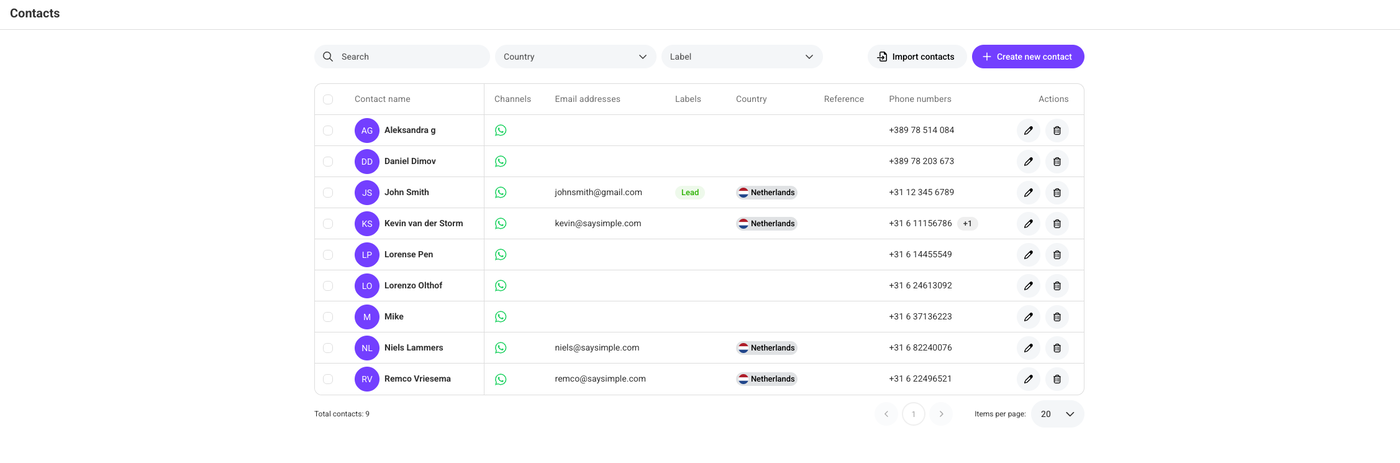
Use the search bar to look up a specific contact. The available filters in the top bar help narrow down the overview, so you can find the right contact more easily.
Open the edit form.
Click the pencil icon on the right side of the contact, under “Actions.”

Update the contact details.
Edit the contact information you want to change.
This works the same way as when creating a new contact. You can update existing details such as phone numbers, email addresses, and other available fields.
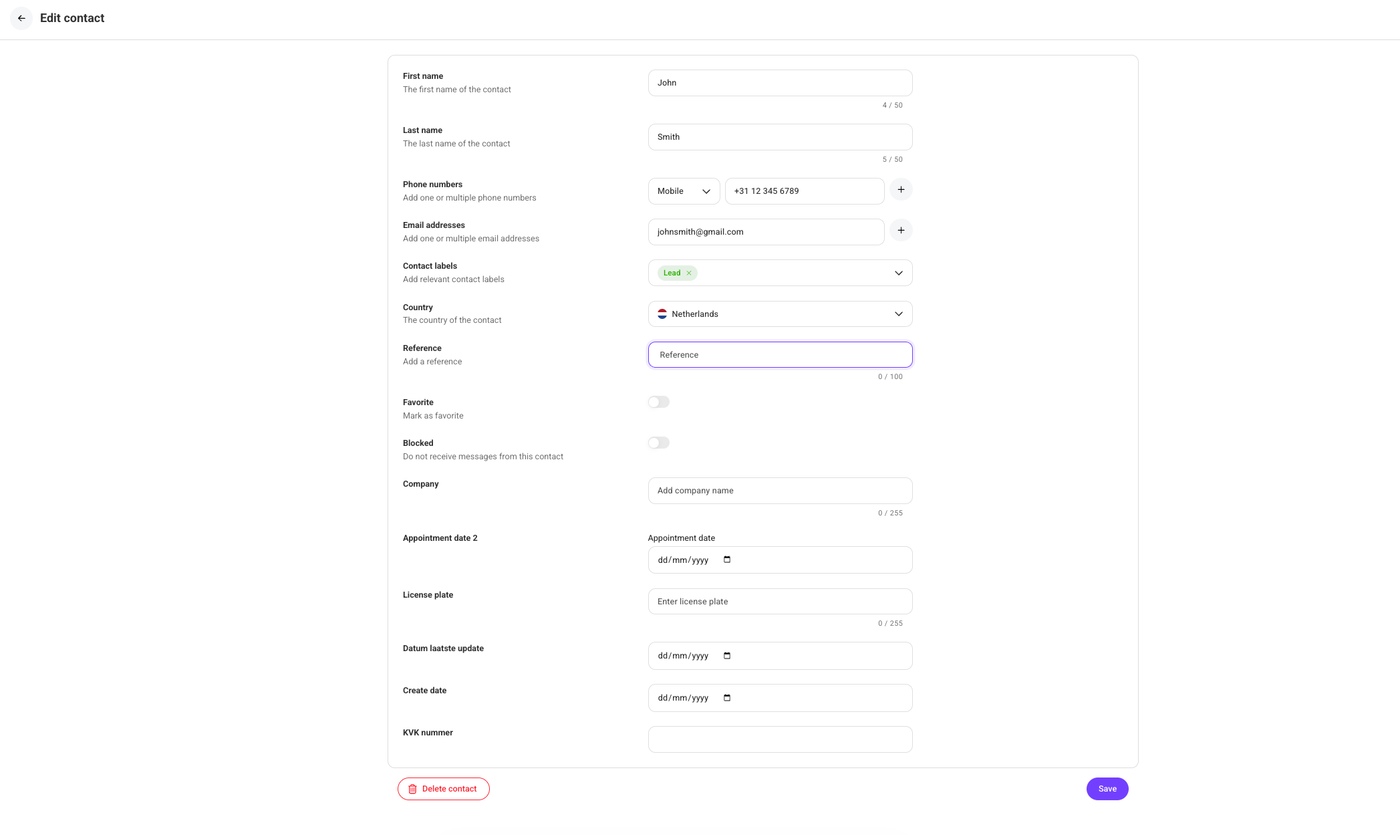
Don't forget to click the “Save” button once you have finished updating the contact information.
